
Download v1.2
One of the most powerful features of Triggerbot is the ability to create and play lyric sheets. A lyric sheet is a text file that contains the lyrics and their timings for a song. When you queue up a song that has a lyric sheet associated with it, Triggerbot will send the lyrics to IMVU, where they will be displayed in the chat as the song plays.
To create a lyric sheet, click on the "Lyric Sheets" tab and select a song from your collection. Once chosen, the song segments will be downloaded and displayed as a waveform.
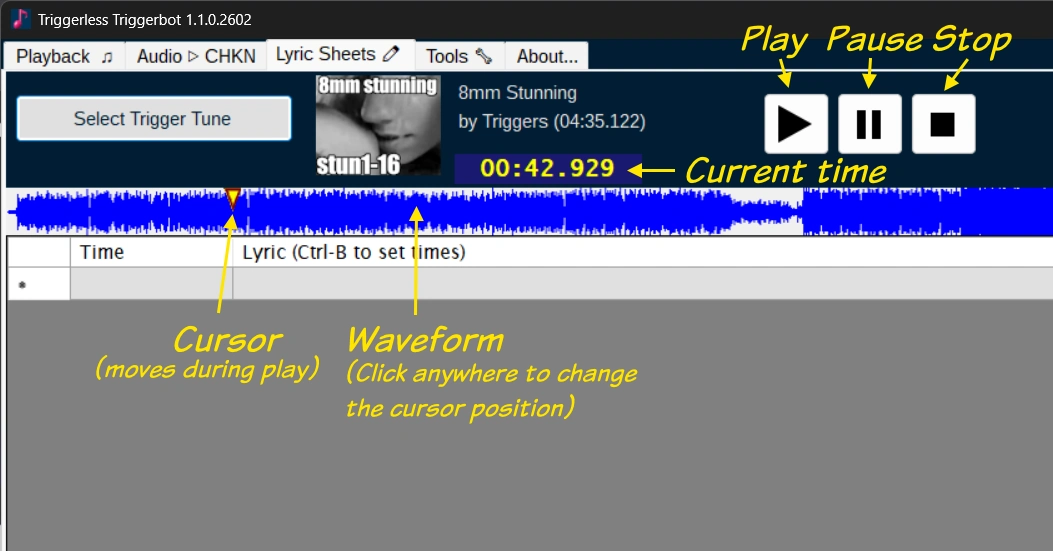
Start by copying the lyrics to the clipboard, then click the "Paste Lyrics" button to paste them into the editor.
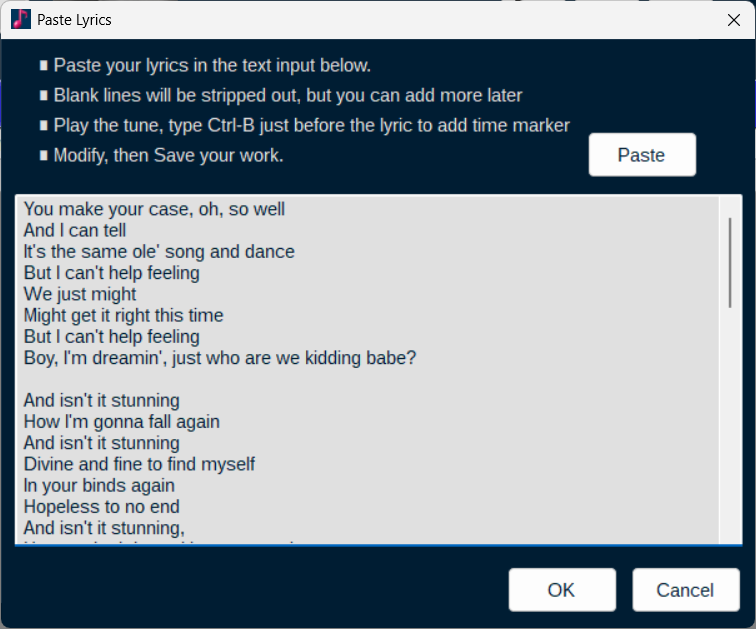
Then the lyrics will display in the grid but the times will be blank. To fill in the times, click the "Play" button to start playing the song, and as the song plays, press Ctrl+B on your keyboard just before each lyric line should be displayed.
Continue this process for each lyric line. This will automatically fill in the timings for each lyric line in the grid. If you make a mistake, you can back up the song player and try again, or you can manually edit the timings in the grid. Once you have all the timings filled in, you can click the "Save Lyrics" button to save it. The lyric sheet will be saved as a .lyrics file in the Documents\Triggerbot folder, and it will be associated with the song you created it for.